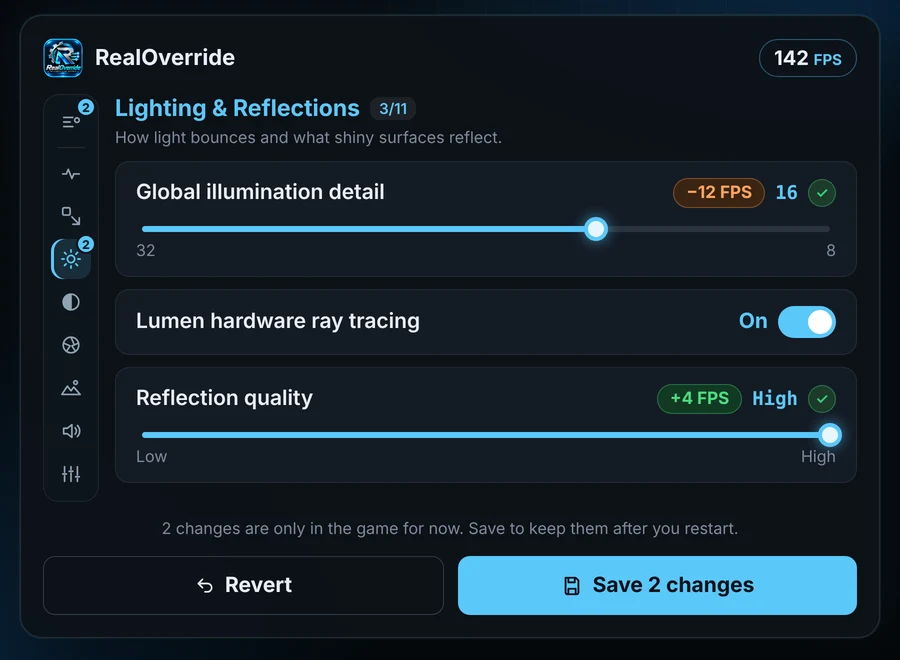
Better looks, more FPS, no guesswork.
Plain-English descriptions for every setting, and nothing changes until you choose it.
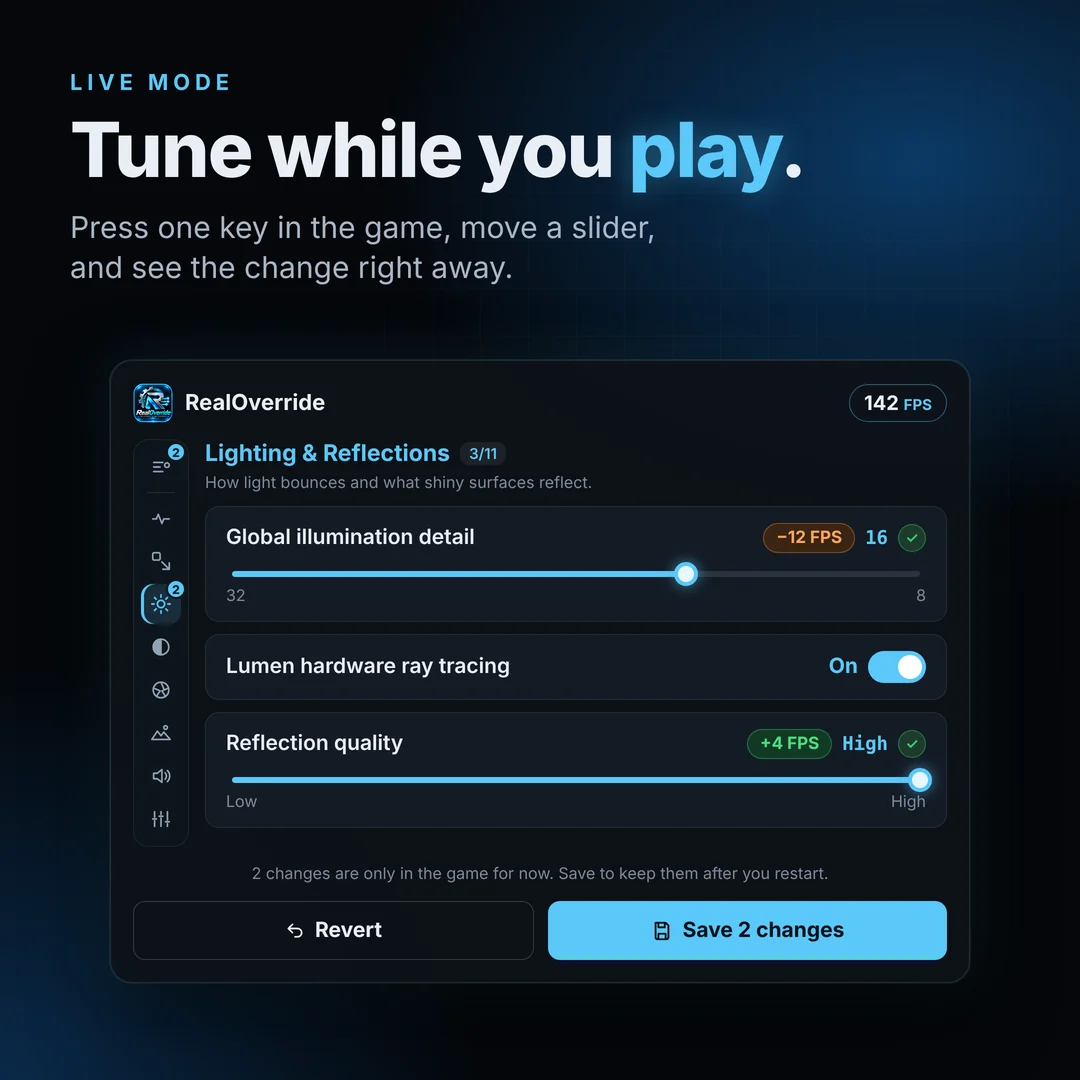
Tune while you play
Press one key in the game to open the overlay, change a setting, and see it right away. No restarting, no editing files by hand.
- Works over the game in borderless or windowed mode
- The game keeps its focus and full speed
- No stutter from RealOverride while you play

Hide the HUD in one click
Click the eye in the top bar and the game's HUD disappears: compass, health bars, prompts. Perfect for screenshots and videos, even in games without their own option.
- Stays hidden while RealOverride is hidden
- Comes back with one click, or on the next load
- Never saved: nothing to undo
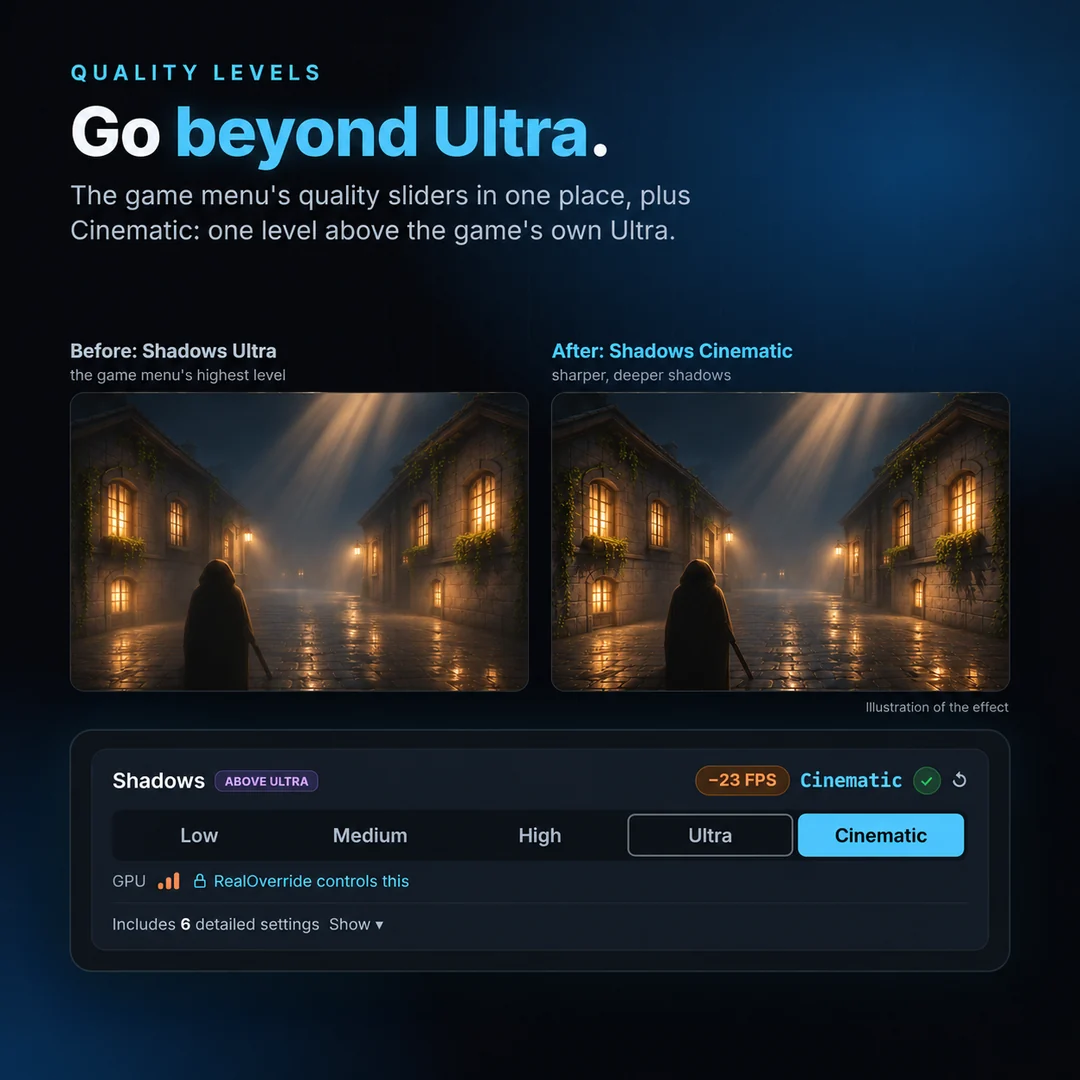
Go beyond Ultra
The game menu's quality sliders in one place, plus Cinematic: one level above the game's own Ultra. Each level shows which detailed settings it changes.
- "RealOverride controls this" shows who is in charge
- The circular arrow hands a level back to the game's menu
- Follows the game menu's levels you haven't set
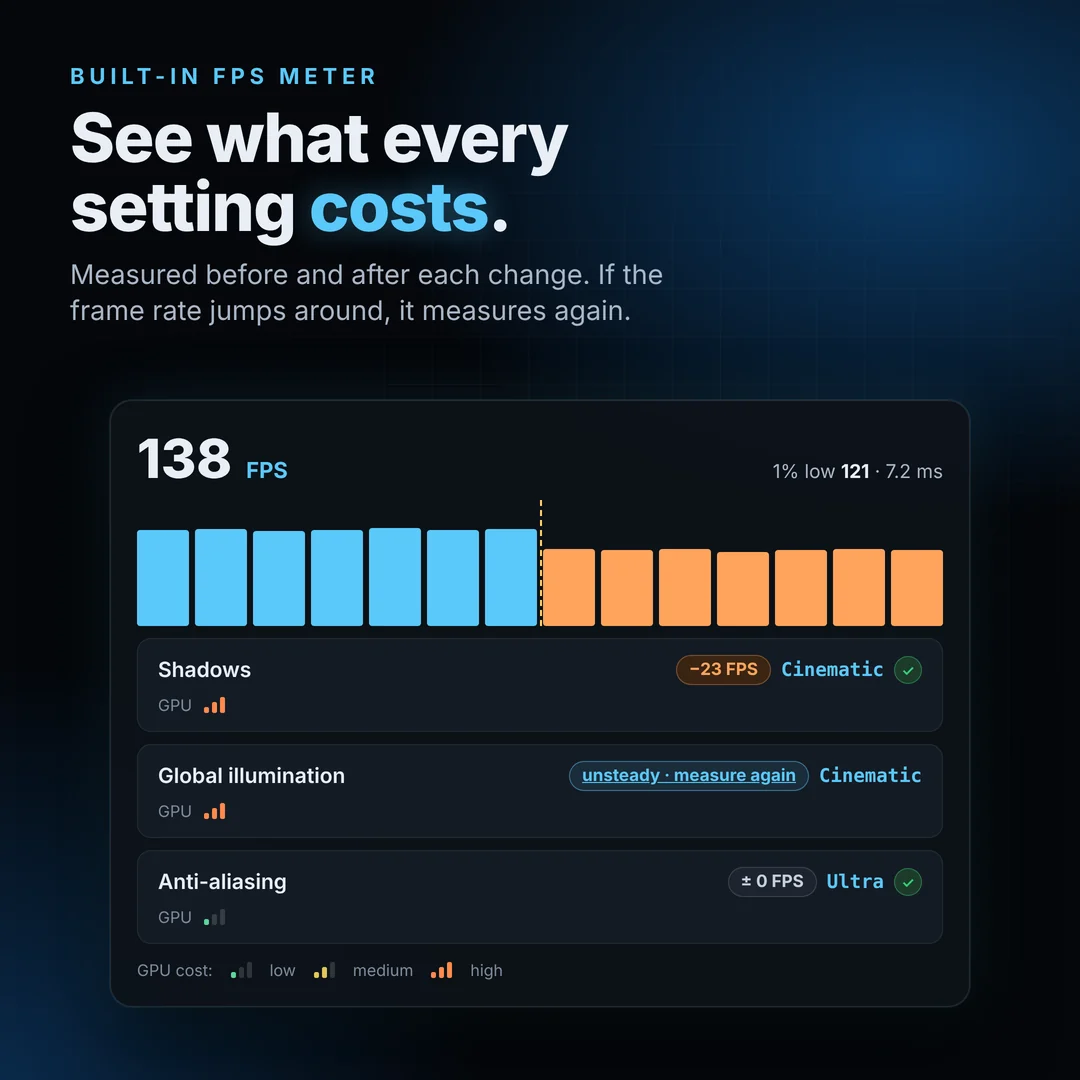
See what every setting costs
RealOverride measures FPS before and after each change, so you know exactly where your frames go. If the frame rate jumps around, it measures again.
- GPU cost bars: green, amber, orange-red
- 1% low, the best measure of stutter
- "Measure again" compares the old and new value for you
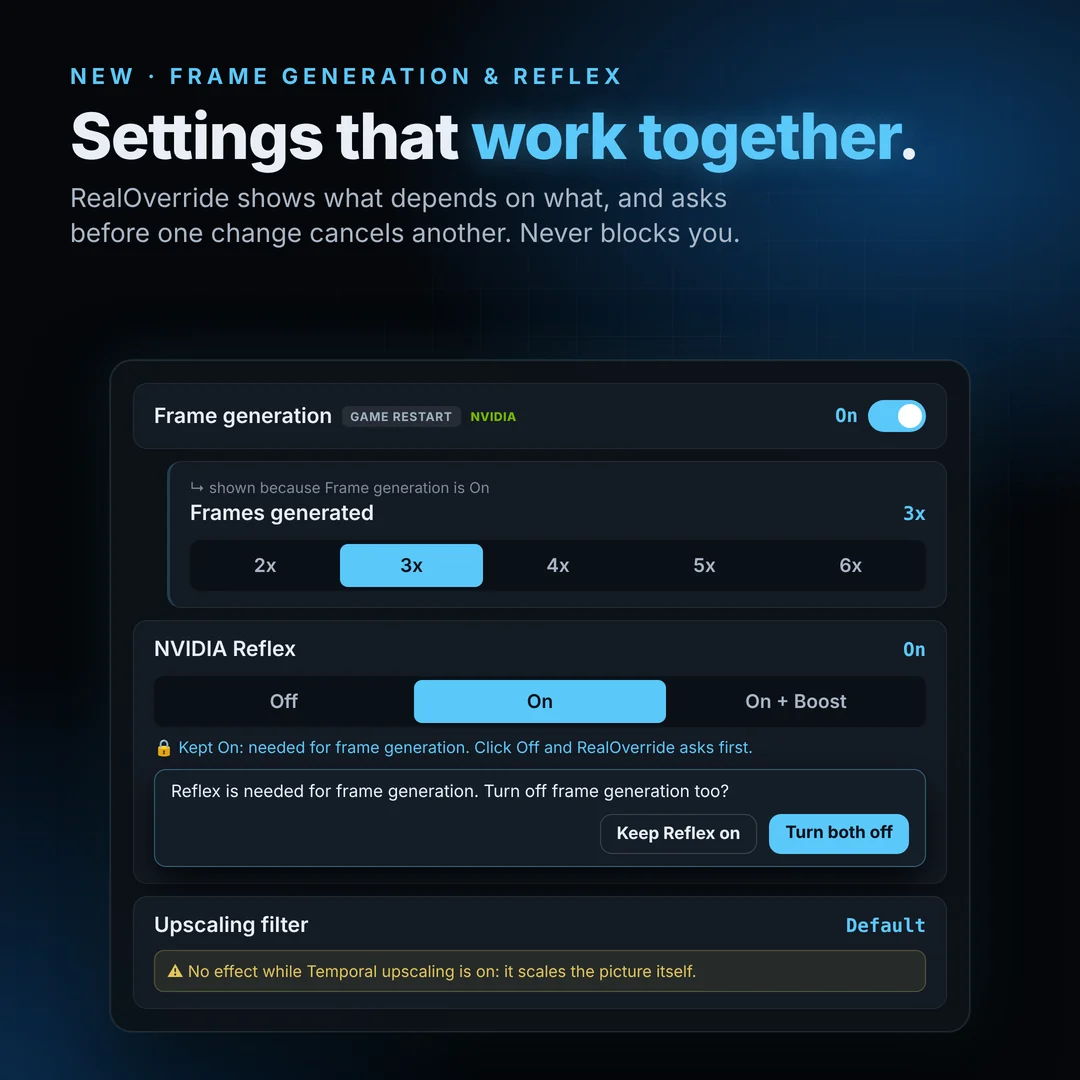
Settings that work together
RealOverride shows what depends on what: a setting appears only when it can work, and a yellow note says when another setting cancels it. Before one change undoes another, it asks. It never blocks you.
- DLSS frame generation 2x to 6x and NVIDIA Reflex
- DLSS and Ray Reconstruction model presets
- Any frame cap from 30 to 360
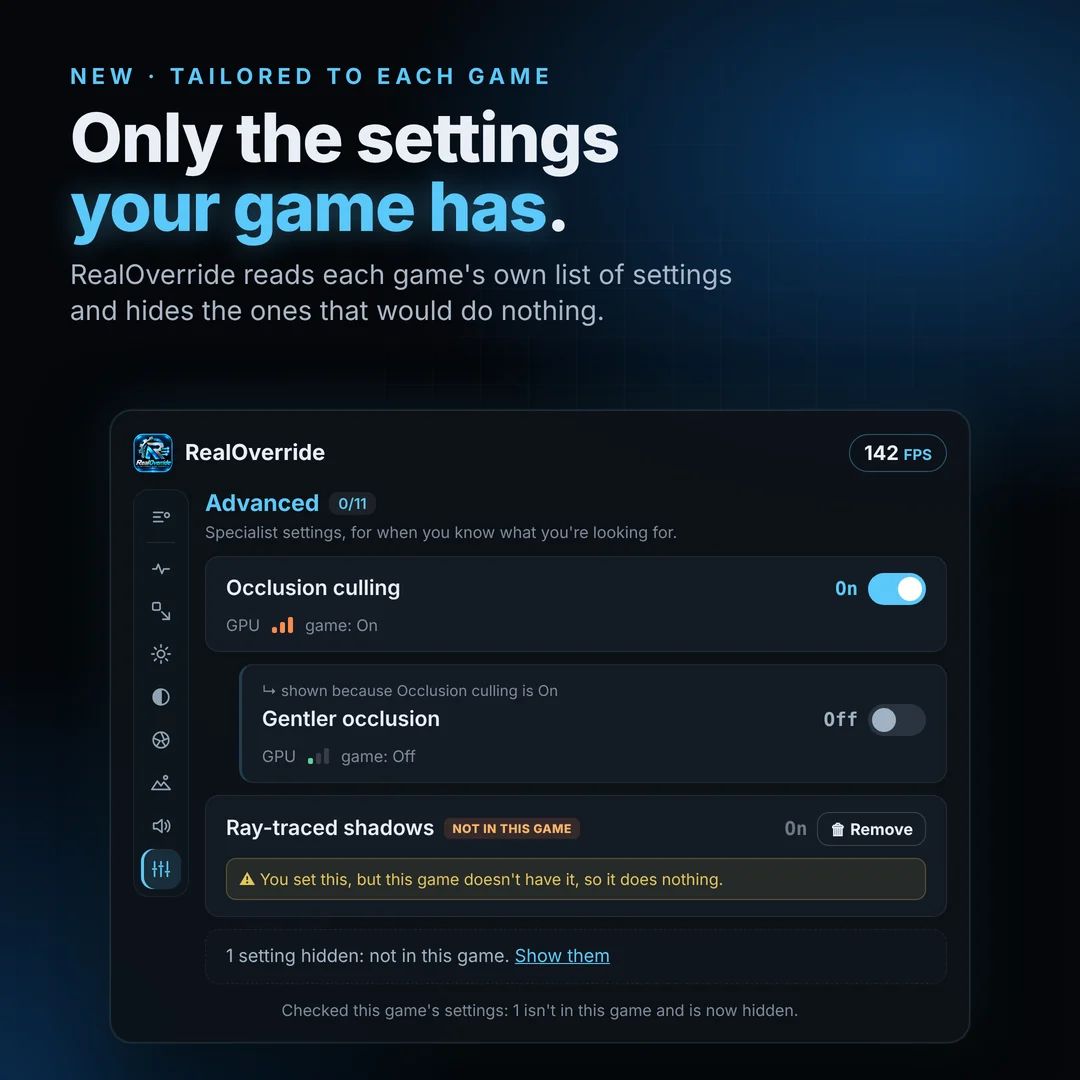
Only the settings your game has
RealOverride reads each game's own list of settings and hides the ones that would do nothing there. A setting you set earlier stays visible, with a one-click Remove.
- Read once per game, and again after a game update
- "Show them" brings hidden settings back, greyed out
- Unreal Engine 4 and 5 games
The small things that make it easy.
Fix stutter, Clean image, Max FPS or Max visuals. Start there, then fine-tune.
Shader precaching, kept shaders and fixed memory pools: fewer hitches in new areas.
Steam, Epic, Xbox app and plain installs. The engine version is detected by itself.
15 seconds after each load it re-applies anything the game or another mod changed.
Some games delete or rewrite Engine.ini. One switch makes your settings stay.
Risky values run as a 5-minute trial. Every save keeps a backup; the original is one click away.
Every setting explained in one line. Nothing changes until you choose it.
No ads, no sign-up, no tracking. Your settings stay on your PC.
Live mode no longer causes tiny regular stutters, and the eye button hides the HUD in one click.
Reads each game's own list of settings and hides the ones that game doesn't have.
Frame generation, NVIDIA Reflex and fewer-hitch options, with clear links between settings that belong together.
Up and running in a minute.
Right-click the zip, Properties, tick "Unblock", then extract it anywhere.
Double-click RealOverride.exe. It finds your Unreal Engine games by itself.
Pick a game and change settings. Optional live mode lets you change them while you play.
RealOverride 0.8.6.7 beta
Free for Windows 10 and 11. Includes the README with full instructions.
Free. Powered by you.
RealOverride has no ads and never will. If it made your game look or run better, a coffee helps me test more games and add new features.
Questions
Does RealOverride change my game files?
Normally it only writes your choices to the game's own settings file (Engine.ini), and keeps a backup every time. Live mode is optional: it adds the open-source UE4SS mod loader and a small RealOverride mod to the game folder, and "Uninstall live mode" removes exactly what it added.
Which games does it work with?
Most single-player PC games made with Unreal Engine 4 or 5. RealOverride finds them in your AppData, Documents\My Games and Steam, GOG or Epic folders. You can also add a game by picking its .exe, and choose its settings folder if it's somewhere unusual.
Can I go back to the game's original settings?
Yes. Each setting has a reset arrow, Revert undoes unsaved changes, and gear > Restore original Engine.ini puts the file back exactly as it was before RealOverride first saved it.
Why do a few antivirus engines flag it?
On VirusTotal, a few scanners that guess with AI (for example "MachineLearning/Anomalous") flag RealOverride.exe, because it is a new app that isn't code-signed yet and runs PowerShell scripts inside itself. That is a guess, not a known threat: Microsoft Defender, Kaspersky and ESET report it clean. All the code is in the download (the PowerShell scripts, and app\launcher\Launcher.cs for the exe). If your antivirus blocks RealOverride.exe, use "Start RealOverride.bat" in the same folder: it runs the same app.
Is it safe for online games?
No. Use it only with single-player games without anti-cheat. Changing settings in online games can break their rules.
Why is it free?
Because good graphics settings shouldn't be locked away. If you'd like to help, you can support development on Ko-fi or PayPal. It's never required.
Need help with
RealOverride?
Have a bug, a game that doesn't work, or a suggestion? Send me an email. I'll do my best to reply as soon as possible.
Click the address to open your email app, or the copy icon to copy it. Please don't send passwords or personal files.